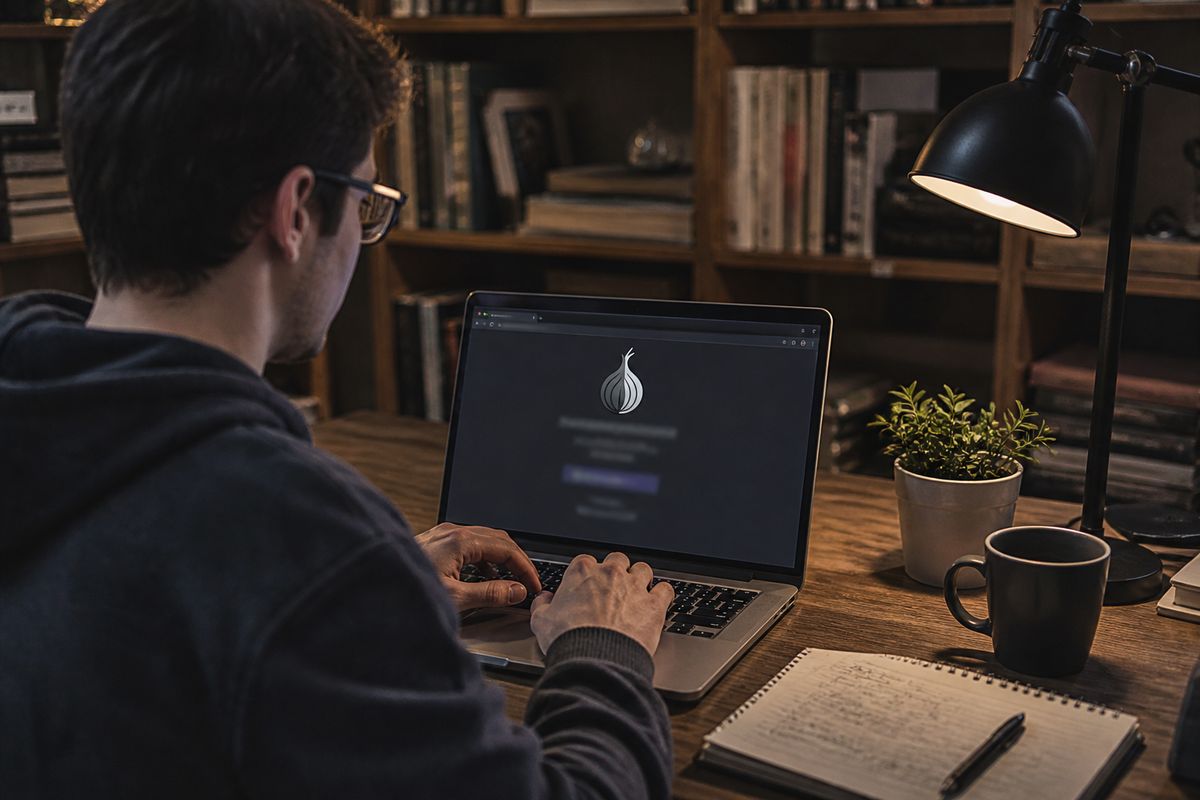
Tor for deep web access means running Tor Browser to reach .onion sites without revealing your IP address. To start:
download Tor Browser from the official Tor Project website;
avoid adding extensions or logging into personal accounts;
use only .onion addresses from a trusted directory.
Common Mistakes That Break Anonymity
| Mistake | What It Exposes | How to Avoid It |
|---|---|---|
| Using personal accounts | Reveals identity | Avoid logging into accounts |
| Adding browser extensions | Compromises security | Use only Tor Browser |
| Accessing unknown .onion sites | Potential malware | Use trusted directories |
| Disabling JavaScript | Exposes IP address | Keep JavaScript enabled in Tor |
| Using non-Tor browsers | Reveals IP address | Always use Tor Browser |
| Sharing personal information | Compromises anonymity | Never disclose personal data |
What Tor Actually Does (and Does Not Do) for Deep Web Access
Tor is a network and browser designed to anonymise internet traffic, primarily through a system of three relays: the guard relay, middle relay, and exit node. This structure ensures that user activity is obscured, but it is important to understand that Tor is not an infallible invisibility cloak. It does not provide complete anonymity or security; rather, it enhances privacy by hiding the user's IP address from the destination site.
The deep web encompasses all online content not indexed by conventional search engines, including private databases and academic resources. In contrast, the dark web refers specifically to .onion sites, which are only accessible through the Tor Browser. This distinction is crucial for users seeking to navigate these spaces safely.
When using Tor, the connection to the destination site is routed through the three relays. The guard relay is the first point of contact, followed by the middle relay, which further anonymises the traffic. Finally, the exit node decrypts the data and sends it to the intended site. However, this exit node does not encrypt traffic beyond its point unless the destination site uses HTTPS. Therefore, users should always verify if the site they are visiting employs HTTPS to ensure that their data remains secure during transmission.
It is also essential to understand that while Tor hides the user's IP address, it does not protect against all forms of tracking. Techniques such as fingerprinting can still identify users based on their browser settings and usage patterns. For maximum security, users should employ the highest security level settings in Tor, block JavaScript, and refrain from sharing personal information.
In summary, Tor offers significant privacy improvements for accessing the deep web and dark web, but users should remain aware of its limitations and take additional precautions to safeguard their anonymity. For further exploration of .onion sites, resources like The Hidden Wiki or DuckDuckGo .onion can be useful starting points.
How to Install Tor Browser Safely
To install Tor Browser securely, follow these steps for each operating system.
Step-by-Step Installation
Download from Official Source: Always download Tor Browser exclusively from the official Tor Project website (torproject.org). This reduces the risk of downloading malicious software.
Verify Signature: If possible, verify the downloaded file's signature. This process ensures that the software has not been tampered with. Instructions for verification can typically be found on the download page.
Avoid Unofficial App Stores: Refrain from using third-party app stores or unofficial bundles labelled as 'Tor for deep web'. These versions may contain malware or be outdated, posing security risks.
Operating Systems
Windows: Download the Windows installer from the official site. Run the installer and follow the prompts to complete the installation.
macOS: Download the macOS version. Open the downloaded file and drag the Tor Browser icon to your Applications folder.
Linux: For Linux users, download the appropriate package. Installation methods may vary, including using terminal commands or package managers, depending on the distribution.
Android: The Tor Browser for Android is available through the official Google Play Store. Ensure that you download it from there to avoid unofficial versions.
iOS Consideration
Currently, there is no official Tor Browser for iOS. The closest alternative is the Onion Browser, but it has limitations in terms of features and security compared to the official Tor Browser.
Security Recommendations
Check for Updates: Regularly update Tor Browser to the latest version to ensure you have the latest security features and bug fixes.
Use High Security Settings: Once installed, use the 'Safest' security level in the Tor Browser settings to enhance your protection while browsing .onion sites.
Following these steps will help ensure a safer experience while accessing the deep web through Tor Browser. For more information on navigating .onion sites, refer to related resources.
First Connection: Settings to Change Before You Browse
Initial connection settings in Tor Browser are crucial for effective and secure deep web browsing. Users can choose between a direct connection and using bridges, which are necessary for accessing Tor in censored networks. Bridges help bypass restrictions imposed by certain ISPs and are particularly useful in regions with heavy internet censorship.
For deep web browsing, it is recommended to set the security level to 'Safer' or 'Safest'. Selecting 'Safest' disables JavaScript, some fonts, and media elements, which greatly reduces the risk of malicious scripts executing on .onion sites. JavaScript, in particular, can be exploited to uncover the user's IP address or to execute unwanted actions without consent. By disabling such features, users protect themselves from potential tracking and exploitation.
To adjust the security level, navigate to the security settings within the Tor Browser. Here, you can select the desired level of security. The 'Safer' setting allows some JavaScript and media but still restricts potentially harmful content, while 'Safest' blocks all such elements. This setting is particularly important when visiting sites like The Hidden Wiki or SecureDrop, where risks may be higher.
It is also advisable to avoid maximising the browser window. Maximising can increase the risk of fingerprinting, which is a technique used to track users based on their browser and device configurations. Keeping the window at a smaller size helps mitigate this risk.
Before browsing, ensure that these settings are properly configured. This preparation can significantly enhance anonymity and security while accessing .onion sites. For further guidance on navigating these sites, refer to resources on exploring deep web content.
Finding Real .onion Links Without Getting Scammed
Accessing genuine .onion links can be challenging, as there is no comprehensive search engine like Google for the deep web. This makes it crucial to rely on trusted starting points when looking for .onion sites.
The Hidden Wiki is one well-known directory for .onion links, but users should exercise caution. Many entries can lead to illegal or malicious content. It is advisable to cross-check links found on The Hidden Wiki with other sources. DuckDuckGo also provides a .onion version that can be useful for searching without tracking, while Ahmia and Torch are two additional search engines specifically designed for .onion sites. These platforms can help users discover legitimate content while minimising the risk of encountering scams or harmful links.
Avoid random lists of 'dark web links' often shared on forums like Reddit. Many of these lists may include phishing sites or illegal content, potentially compromising users' security and anonymity. Instead, focus on well-established directories or search engines.
To verify the legitimacy of a .onion link, cross-check it against at least two independent sources. This principle helps ensure that the link is safe and leads to the intended destination. For example, if a link appears on both the DuckDuckGo .onion search engine and Ahmia, it is more likely to be trustworthy.
By following these guidelines, users can navigate the deep web more safely and avoid falling victim to scams or malicious sites. For additional insights on exploring .onion sites, refer to resources that detail best practices for deep web access.
Common Mistakes That Break Anonymity on Tor
Several user errors can significantly compromise anonymity while using Tor. Understanding these mistakes is crucial for maintaining privacy.
Logging into Personal Accounts
Accessing personal accounts, such as Gmail or Facebook, while using Tor exposes the user's identity. These services can track logins and link them to the user's real IP address, effectively nullifying the anonymity that Tor provides. To avoid this, refrain from logging into any personal accounts while connected to Tor.
Opening Downloaded Files
Opening files downloaded via Tor can pose risks. If these files contain malware, they may compromise the user's system and expose their real IP address. Always disconnect from Tor before opening any downloaded files, or consider using a separate operating system like Tails, which is designed for secure browsing.
Enabling Browser Extensions
Adding extensions to Tor Browser can introduce vulnerabilities. Many extensions can leak personal data or allow tracking through fingerprinting techniques. It is advisable to use only the default configuration of Tor Browser without adding any extensions.
Using Tor Over a VPN
Using Tor in conjunction with a VPN without understanding the threat model can lead to confusion and potential exposure. While a VPN may mask the Tor user's IP address from their ISP, it can also log the user's activities if not configured correctly. Ensure that the VPN provider has a strict no-logs policy and is reputable.
Resizing the Window
Maximising the Tor Browser window can increase the risk of fingerprinting. Fingerprinting techniques track users based on their browser and device configurations, making it easier to identify and target them. Keeping the browser window at a smaller, consistent size helps mitigate this risk.
Pasting Personal Information into Forms
Entering personal information into forms on .onion sites can compromise anonymity. This practice can inadvertently link the user's real identity to their Tor usage. Avoid disclosing any identifiable information when using Tor.
By being aware of these common mistakes, users can enhance their anonymity while browsing the deep web. Prioritising security measures and understanding the potential risks associated with each action is essential for safe navigation. For further information on navigating .onion sites, consult resources that provide guidance on deep web access.
What You Can Legally Do on the Deep Web with Tor
Using Tor is legal in most countries, but accessing illegal content is not. Understanding the distinction is crucial for safe navigation on the deep web.
Legitimate uses of Tor include accessing news sources, secure communication platforms, and private browsing. For instance, ProPublica operates a .onion site that provides news coverage without censorship, enabling users to access critical information in repressive environments. Additionally, SecureDrop allows whistleblowers to submit documents anonymously to journalists, ensuring that sensitive information can be shared safely. Proton Mail offers a .onion version, providing secure email services while maintaining user privacy.
Another useful tool is DuckDuckGo's .onion site, which enables private searching without tracking, further enhancing anonymity. Users can also check Tor Metrics, which provides statistics and insights on the Tor network's performance and usage.
Here is a short list of verified .onion addresses for these services:
ProPublica:
http://propub3r6espa33w.onionSecureDrop: Typically unique to each media organisation; check individual outlets for their .onion links.
Proton Mail:
http://protonirockerxow.onionDuckDuckGo:
http://duckduckgofr3b7b.onionTor Metrics:
http://metrics.torproject.org
Engaging with these resources allows users to take advantage of the deep web while remaining within legal boundaries. It is essential to avoid any activities that could lead to accessing illegal content, as this can result in serious legal consequences. For more information on safely exploring .onion sites, refer to resources about navigating deep web content.
Staying Safe: Operational Security Checklist for .onion Browsing
Establishing a routine for operational security is essential when accessing .onion sites. This checklist provides practical steps to enhance safety and privacy while using Tor Browser.
Update Tor Browser
Always ensure that the Tor Browser is up to date. Regular updates provide critical security patches and enhancements, reducing vulnerabilities that could be exploited by malicious sites.
Set Security Level to Safest
Adjust the security settings in Tor Browser to 'Safest'. This setting disables JavaScript and restricts certain features that could compromise anonymity. To change the security level, navigate to the security settings within the browser and select 'Safest'. This is particularly important when visiting potentially high-risk sites.
Close Other Applications
Before launching Tor Browser, close any unnecessary applications. Other software running on your device may inadvertently leak information or create vulnerabilities. This practice helps maintain a focused environment for secure browsing.
Use a Privacy-Focused Search Engine
Opt for privacy-oriented search engines such as DuckDuckGo's .onion version, Ahmia, or Torch. These platforms allow users to search for .onion sites without tracking their activity, reducing the risk of exposure.
Never Download Files
Avoid downloading files while using Tor Browser. Downloaded files may contain malware or tracking elements that can compromise your system and anonymity. If a file must be downloaded, disconnect from Tor before opening it or consider using a secure operating system like Tails.
Never Log into Real Identity Accounts
Do not log into personal accounts such as email or social media while using Tor. This practice can link your real identity to your Tor usage, undermining the anonymity that the browser provides.
Consider Tails for Higher-Risk Activities
For activities that carry higher risks, consider using Tails, a live operating system that can be run from a USB stick. Tails is designed for privacy and leaves no trace on the device used, offering an additional layer of security for sensitive tasks.
By following this checklist consistently, users can create a safer browsing environment while exploring the deep web. Adopting these practices as a routine rather than a one-time setup enhances overall security. For further insights on navigating .onion sites, refer to resources that detail best practices for deep web access.
Tor vs. VPN vs. Tor-over-VPN: Which Setup for Deep Web Access
Understanding the differences between using Tor alone, a VPN, or a combination of both (Tor-over-VPN) is essential for safe deep web browsing. Each setup offers distinct advantages and limitations.
| Configuration | Access to .onion Sites | Anonymity from ISP | Trust in Provider |
|---|---|---|---|
| Tor Alone | Yes | Limited | None |
| VPN Alone | No | Yes | Depends on provider |
| Tor-over-VPN | Yes | Yes | Depends on provider |
Tor alone is sufficient for most users who wish to access .onion sites. It routes traffic through a series of relays, obscuring the user's IP address and allowing access to deep web content. For instance, users can visit sites like The Hidden Wiki or SecureDrop without additional configuration.
Using a VPN alone does not provide access to .onion sites, as it does not route traffic through the Tor network. While a VPN can mask the user's IP address from their Internet Service Provider (ISP), it does not grant the anonymity Tor provides. This setup is beneficial for general privacy but lacks the specific tools needed for deep web navigation.
Tor-over-VPN can enhance privacy by hiding Tor usage from the ISP. However, this configuration requires trust in the VPN provider, as they can potentially log user activities. It is crucial to choose a reputable VPN service with a strict no-logs policy to maintain anonymity.
For beginners, using Tor alone is recommended. This setup simplifies the process, allowing users to focus on learning how to navigate deep web resources safely. As users become more familiar with the environment, they may consider exploring VPN options or the Tor-over-VPN setup for enhanced privacy.
Troubleshooting: When .onion Sites Don't Load
Several common issues can prevent .onion sites from loading successfully, affecting the user experience while browsing the deep web. Understanding these issues and their solutions can improve access to desired content.
One frequent problem is that many .onion sites are short-lived. They may go offline temporarily or permanently, which can lead to frustration when trying to access them. In such cases, it is advisable to verify the address is correct, as typos can easily lead to dead links.
Slow loading times are another common issue. This can occur due to the number of relay hops in the Tor network. Each connection through guard relay, middle relay, and exit node adds latency, which can make sites load slower than expected. If loading is particularly slow, consider waiting and retrying later, as network congestion can also play a role.
Clock skew can cause connection failures, particularly if the system time is not accurately synchronised. Ensure that your device's clock is set correctly, as significant discrepancies can disrupt the connection to .onion sites.
Exit nodes can also be blocked by the destination server, which may prevent access to certain .onion sites. This is particularly relevant when attempting to reach sites that have strict security measures in place. If this is suspected, trying a new circuit in the Tor Browser can help. To do this, select the ‘New Tor Circuit for this Site’ option in the Tor Browser menu.
By addressing these issues, users can enhance their experience while browsing the deep web. Being aware of the transient nature of many .onion sites and the technical challenges associated with the Tor network is essential for effective navigation. For additional guidance on accessing .onion sites, refer to resources that explore best practices for deep web access.
Выводы
Tor Browser reduces exposure to tracking, but anonymity depends on routine decisions rather than installation alone.
Keep the browser window at its default size; maximising it creates a fingerprintable configuration.
Set the security level to ‘Safest’ before visiting unfamiliar .onion sites, as this disables JavaScript and other active content.
Never enter personal details into forms or log into real-identity accounts during a Tor session.
Avoid downloading files; if a download is unavoidable, open it only after disconnecting from Tor or from a live system such as Tails.
Treat .onion addresses as temporary: verify spelling, synchronise the system clock, and request a new circuit when a site fails to load.
For a structured walkthrough of finding and evaluating .onion resources, continue with Navigating Onion Sites: Your Guide to the Dark Web.
Explore More Resources on Privacy
Discover additional guides to enhance your online safety.
View More ArticlesFurther services. We keep a short list of services we check regularly. Resources