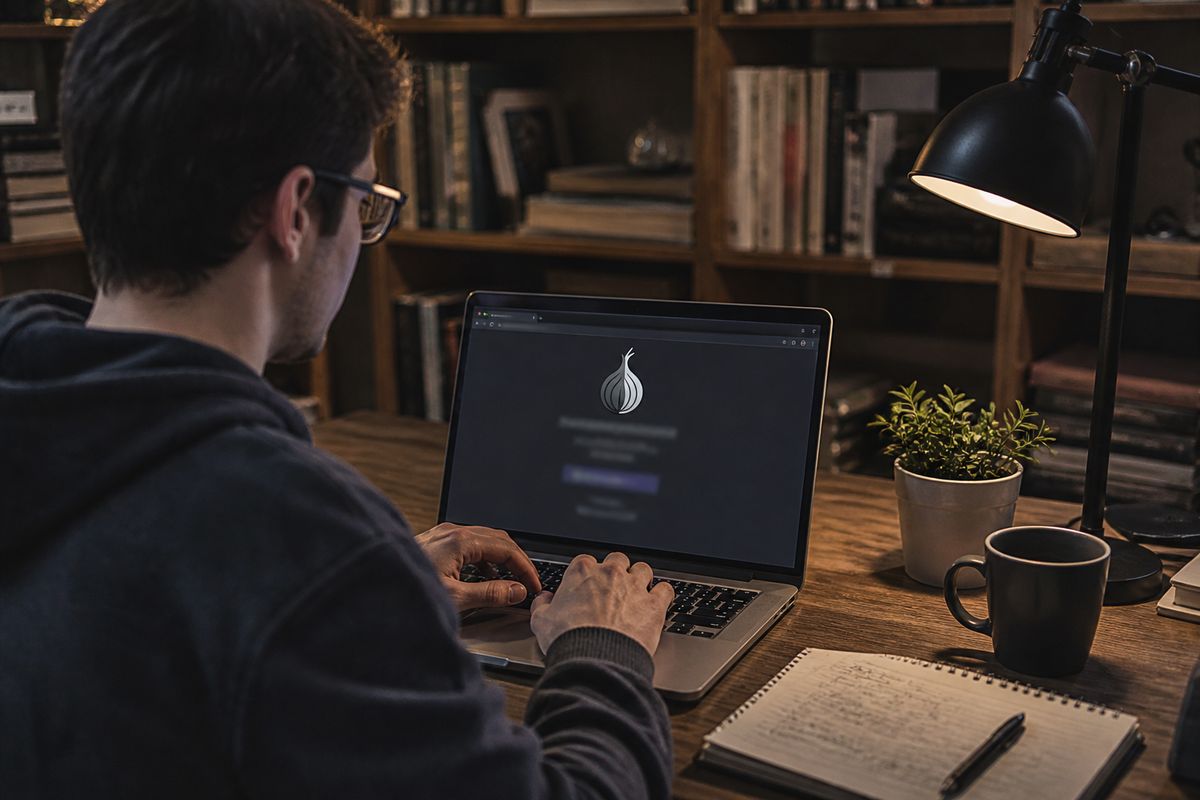
The darknet web is a collection of websites accessible only through anonymising software such as Tor, which routes traffic through a circuit of encrypted relays so no single relay knows both the user and the destination[1]. Accessing it is legal in almost all countries, though some states restrict or block Tor[2][3]. To start safely, a reader should:
install Tor Browser from the official Tor Project site;
keep the browser updated;
avoid entering personal email addresses or credentials[3].
Darknet Web Overview and Safety Checklist
| Network | Best Use Case | Legality | User Base | Security Measures |
|---|---|---|---|---|
| Tor | Anonymising web browsing | Legal in most countries | Millions globally [4] | Use VPN, update software [3] |
| I2P | Anonymous file sharing | Legal, varies by content | Depends on user base | Use I2P-specific tools |
| Freenet | Censorship-resistant publishing | Legal, varies by content | Depends on user base | Use Freenet-specific tools |
What the Darknet Web Actually Is (and Is Not)
The darknet web is a specific part of the internet that requires special software to access, such as Tor, I2P, or Freenet. Unlike the surface web, which is indexed by search engines, the darknet web is intentionally hidden and not accessible through standard browsers.
To understand the darknet web, it's useful to consider the three-layer model of the internet: the surface web, the deep web, and the dark web. The surface web consists of publicly accessible websites that can be found via search engines. The deep web includes anything that is behind a login or paywall, such as banking websites and email accounts. In contrast, the dark web refers to networks that are intentionally hidden and require specific software to access.
The terms 'darknet web' and 'dark web' are often used interchangeably, but they technically refer to different aspects. The darknet web refers to the network itself, while the dark web generally describes the content hosted on that network. The Tor network, one of the most well-known examples of a darknet web, is designed to anonymise web traffic by routing it through a series of encrypted relays, known as onion routers[5][1]. This method ensures that no single relay has complete knowledge of the user's path, enhancing privacy and security[5][1].
It's important to note that while the darknet web can facilitate illegal activities, such as drug trading or the distribution of illicit content[2], it also serves legitimate purposes. For instance, it can be used for whistleblowing, secure communications, and accessing information in oppressive regimes[3][6].
When considering whether to explore the darknet web, users should be aware of the legal implications in their country, as access to certain networks may be restricted in places like China or Russia[2]. Overall, understanding the distinctions and functionalities of the darknet web is crucial for safe and informed navigation.
How the Darknet Web Works: Onion Routing and Encryption
Onion routing is a method used to anonymise internet traffic, ensuring that no single point in the network can identify both the user and their destination. This process involves encrypting data in layers, akin to sealed envelopes stacked within one another. Each layer of encryption is removed by a different relay, allowing the data to be passed along without revealing its origin or final destination[5][1].
When a user connects to the Tor network, their software builds a circuit of encrypted connections through multiple relays. These relays, often referred to as onion routers, include an entry node, one or more middle nodes, and an exit node. The entry node knows the user's IP address, but it does not know the final destination of the traffic. Similarly, the exit node can see the destination but does not know the original source. This design prevents any single relay from having complete information about the data's path[5][1].
Websites on the darknet use .onion addresses instead of standard URLs. These addresses are only accessible through the Tor Browser, which is specifically designed to work with the Tor network. The decentralised nature of the darknet means that no single company or government controls it, making it more resistant to censorship and surveillance[1][3].
The Tor network, which is one of the largest anonymity networks, includes thousands of volunteer-run relays and millions of users globally. For instance, in early 2024, Germany reported the highest number of daily Tor users, with approximately 1,085,893 individuals connecting directly to the network[4][7].
While the dark web is often associated with illegal activities, it also serves important functions, such as providing a platform for whistleblowing and circumventing censorship in oppressive regimes[3][6]. However, users should be cautious and understand the legal implications of accessing certain content, as some countries impose restrictions on the use of tools like Tor[2].
In summary, onion routing and encryption are essential components of how the darknet web operates, ensuring user anonymity and decentralisation while also hosting a range of activities, both legal and illegal.
What the Darknet Web Is Used For
The darknet web serves a variety of purposes, encompassing both legitimate and illicit activities. Understanding these uses helps to demystify the complex landscape of this hidden part of the internet.
Legitimate uses of the darknet web include anonymous journalism, whistleblowing, and privacy research. For instance, platforms like SecureDrop allow whistleblowers to share sensitive information securely, protecting their identities from potential retaliation[3]. Additionally, the darknet provides a space for individuals in oppressive regimes to communicate and access information without government censorship. Various private forums also exist where users can discuss topics freely, away from prying eyes[6].
Conversely, the darknet is notorious for its illicit activities. Black markets operate where users can buy and sell illegal goods, such as drugs and stolen data. Services offering malware and hacking tools are also prevalent[2]. Notable sites that have been shut down include Silk Road and AlphaBay, which were well-known for facilitating these illegal exchanges[3].
Statistics indicate that the dark web represents a very small fraction of the overall internet, estimated at less than 0.01% of the total online content, although precise estimates can vary[3]. This small size does not diminish its impact, as the activities conducted within it can have significant implications for both individuals and society as a whole.
When considering engagement with the darknet web, users should be aware of the legal ramifications in their respective countries, as accessing certain materials may lead to legal consequences. While the darknet can provide a valuable resource for privacy and free expression, it is crucial to navigate this space with caution and an understanding of the risks involved.
Is the Darknet Web Illegal?
Accessing the darknet web is legal in most countries, including the United States, the United Kingdom, Canada, and throughout the European Union. The primary method for accessing this hidden part of the internet is through the Tor network, which anonymises users by routing their traffic through a series of encrypted relays[5][1]. However, while the act of accessing the darknet itself is not illegal, engaging in illegal activities on it remains against the law.
Countries such as China, Russia, Iran, North Korea, and others impose restrictions or outright bans on the use of Tor and similar anonymising services[2]. In these jurisdictions, accessing the Tor network can lead to legal consequences. Therefore, before attempting to navigate the darknet, it is essential to understand the legal framework surrounding its use in your country.
Simply visiting .onion sites, which are exclusive to the Tor network, is not a crime in most jurisdictions, provided that the content accessed does not violate local laws[3]. Nonetheless, illegal activities that can occur on the darknet include drug trafficking, media piracy, and the distribution of illegal materials[2]. Users should be particularly cautious, as government agencies actively monitor and shut down sites involved in such activities, including well-known marketplaces like Silk Road and AlphaBay[3].
In summary, while accessing the darknet web is generally legal in many countries, users must remain aware of the legal implications of their actions on this network. It is advisable to research local laws and exercise caution to avoid engaging in illegal activities while exploring the darknet.
How to Access the Darknet Web Safely
Accessing the darknet web requires careful steps to ensure safety and anonymity. To begin, download the Tor Browser exclusively from the official website, torproject.org. Avoid third-party downloads, as they may contain malware or compromised versions of the software.
After installing the Tor Browser, connect to the internet and open the application. The Tor network functions by routing your internet traffic through multiple encrypted relays, known as onion routers, which helps anonymise your online activity[5][1].
For added privacy, consider using a Virtual Private Network (VPN). While this is optional, it is recommended as it adds an extra layer of security by masking your IP address from your Internet Service Provider and potential eavesdroppers.
When browsing .onion sites, adhere to the following safety practices:
Avoid downloading files from untrusted .onion sites, as they may contain harmful content or malware.
Disable JavaScript where possible, as this can prevent certain types of security exploits.
Never use personal accounts or reveal your real identity while on the darknet. This includes refraining from using your regular email address or social media accounts.
Keep the Tor Browser updated to protect against vulnerabilities and ensure access to the latest security features.
The Tor Browser is free and compatible with various operating systems, including Windows, macOS, Linux, and Android. By following these guidelines, users can navigate the darknet web more safely while minimising the risks associated with online anonymity. For more detailed information on navigating .onion sites, refer to related resources available on the site.
Common Beginner Mistakes and How to Avoid Them
Navigating the darknet web can be challenging for beginners, and several common mistakes can compromise safety and anonymity.
Downloading Tor from unofficial sources: This can lead to installing malicious software. Always download the Tor Browser from the official website, torproject.org.
Using personal email or usernames on .onion sites: This practice can expose your identity. Create a separate, anonymous email account specifically for use on the darknet.
Enabling JavaScript or plugins (Flash, Java): These can leak your IP address and compromise anonymity. Disable these features in the Tor Browser settings to enhance security.
Downloading and opening files from darknet sites: This poses a significant malware risk. Avoid downloading any files unless you are certain of their safety and legitimacy.
Assuming Tor makes you 100% anonymous: While Tor significantly enhances privacy, it does not guarantee complete anonymity. Combine Tor with a VPN for an additional layer of security.
Using Tor for torrenting: This exposes your IP address via P2P connections, defeating the purpose of using Tor. Stick to browsing .onion sites and avoid torrenting while on the Tor network.
Confusing the dark web with the deep web: The deep web includes all non-indexed content, while the dark web refers specifically to hidden networks like Tor. Understand the distinctions to navigate effectively.
By avoiding these mistakes, users can enhance their safety while exploring the darknet web.
Darknet Web Networks Compared: Tor, I2P, and Freenet
Three main networks dominate the darknet landscape: Tor, I2P, and Freenet. Each serves distinct purposes and operates on different principles.
Tor
Tor is the most widely used darknet network, primarily designed for web browsing. It employs onion routing, which anonymises user traffic by routing it through a series of volunteer-run relays. Each relay only knows the previous and next relay, ensuring that no single point can identify the user's original location[5][1]. Tor is known for its .onion sites, which can only be accessed through the Tor Browser. This network is ideal for users seeking to access the web anonymously and is recommended as a starting point for beginners[3].
I2P
I2P (Invisible Internet Project) is designed for secure internal services, known as eepsites. Unlike Tor, which focuses on accessing the surface web and .onion sites, I2P is structured to provide stronger anonymity for hosting services. However, it is generally considered less user-friendly compared to Tor, which may deter some newcomers. I2P's design is more about peer-to-peer communication and less about traditional web browsing, making it suitable for users who require anonymity for specific applications rather than general web use.
Freenet
Freenet operates as a distributed data store, focusing on censorship-resistant publishing. It is not designed for real-time browsing and instead allows users to publish and share information anonymously. Freenet's architecture prioritises the availability of content over speed, making it less suitable for conventional web browsing activities. This network is particularly useful for activists and journalists looking to bypass censorship but may not meet the needs of those seeking a more interactive browsing experience.
Comparison Summary
| Feature | Tor | I2P | Freenet |
|---|---|---|---|
| Primary Use | Web browsing | Internal services (eepsites) | Censorship-resistant publishing |
| Anonymity | Strong | Very strong | Strong |
| User-Friendliness | High | Moderate | Low |
| Content Type | .onion sites | Eepsites | Distributed data |
In conclusion, Tor stands out as the recommended entry point for beginners due to its user-friendly interface and extensive resources. I2P and Freenet cater to more specific needs and may require a steeper learning curve for effective use.
What You Can Actually Find on the Darknet Web
The darknet web hosts various legitimate resources that can be useful for different purposes. Accessing these sites typically requires known links or directories, as there is no comprehensive search engine like Google for the dark web.
One notable platform is SecureDrop, a tool utilised by major news organisations to facilitate secure communication with whistleblowers. This service enables journalists and sources to share information anonymously, thus enhancing investigative reporting.
ProtonMail also offers a .onion site, allowing users to access their secure email services while maintaining anonymity. Similarly, Facebook operates a .onion mirror, which enables users in restrictive regions to access the platform safely without compromising their identity.
For news updates, the BBC runs a .onion site that provides articles and information to users seeking reliable news sources within the dark web. This is particularly beneficial for individuals in countries with stringent media censorship.
The Tor Project, the developer of the Tor network, offers its own documentation on a .onion site, which serves as a valuable resource for users looking to understand how to navigate the darknet safely and effectively.
Another useful directory is dark.fail, which lists verified .onion links, helping users find safe and legitimate sites while avoiding scams or illegal content.
It is crucial to approach random link lists with caution, as many may lead to scams or illegal activities. Relying on established directories or known links is essential for safe navigation in the darknet environment. Users should remain vigilant and informed to make the most of the resources available while minimising risks.
Darknet Web Safety Checklist
Navigating the darknet web requires strict adherence to safety protocols to ensure your anonymity and security. Here is a concise checklist summarising the essential steps for safe access:
Safety Steps
Download Tor Browser from the Official Site: Always obtain the Tor Browser from torproject.org. Avoid third-party downloads to prevent malware risks.
Enable VPN: Using a Virtual Private Network (VPN) adds an additional layer of security by masking your IP address from potential eavesdroppers. This is highly recommended but not mandatory.
Disable JavaScript: Turn off JavaScript in the Tor Browser settings to mitigate the risk of JavaScript exploits that can compromise your security.
Avoid Personal Information: Do not use personal email addresses or real names while on the darknet. Create a separate, anonymous email account for any necessary communication.
Do Not Download Files: Refrain from downloading files from untrusted .onion sites, as they may contain harmful content or malware.
No Torrenting: Do not use torrent services while connected to Tor. Torrenting can expose your IP address and undermine the anonymity that Tor provides.
Keep Your Browser Updated: Regularly check for updates to the Tor Browser to ensure you have the latest security features and patches.
Understand Legal Implications: Familiarise yourself with the legal status of using Tor and accessing the darknet in your country. While using Tor is legal in many regions, specific activities may be restricted[2][3].
Following this checklist can significantly enhance your safety while exploring the darknet web, allowing for a more secure and private browsing experience.
Выводы
The darknet web is a small, deliberately hidden part of the deep web, accessed through networks such as Tor, I2P, and Freenet.
Tor remains the most practical starting point for beginners because it is built for ordinary web browsing and has the largest set of documented .onion sites.
Anonymity is not the same as invulnerability: disabling JavaScript, avoiding personal accounts, and never downloading files reduce the most common risks.
Most beginner mistakes come from unofficial Tor downloads, torrenting over Tor, or treating every .onion link as trustworthy.
Before exploring further, verify that the Tor Browser is installed from torproject.org and updated to the latest release.
For a step-by-step walkthrough of how Tor routes traffic and what to check before first use, see Understanding Tor for Deep Web Access.
Explore More About the Darknet
Discover additional resources and insights on this topic.
Visit Our ResourcesReading list
- Overview - How Tor works - About Tor — Tor
- What is a Tor browser, is it safe, and legal to use? - Norton
- Everything You Should Know About the Dark Web - Tulane University
- Welcome to Tor Metrics
- A short introduction to Tor - Tor Specifications
- The Tor Network: A Guide to the Dark Web Browser - Avast
- Users – Tor Metrics
Further services. We keep a short list of services we check regularly. Resources