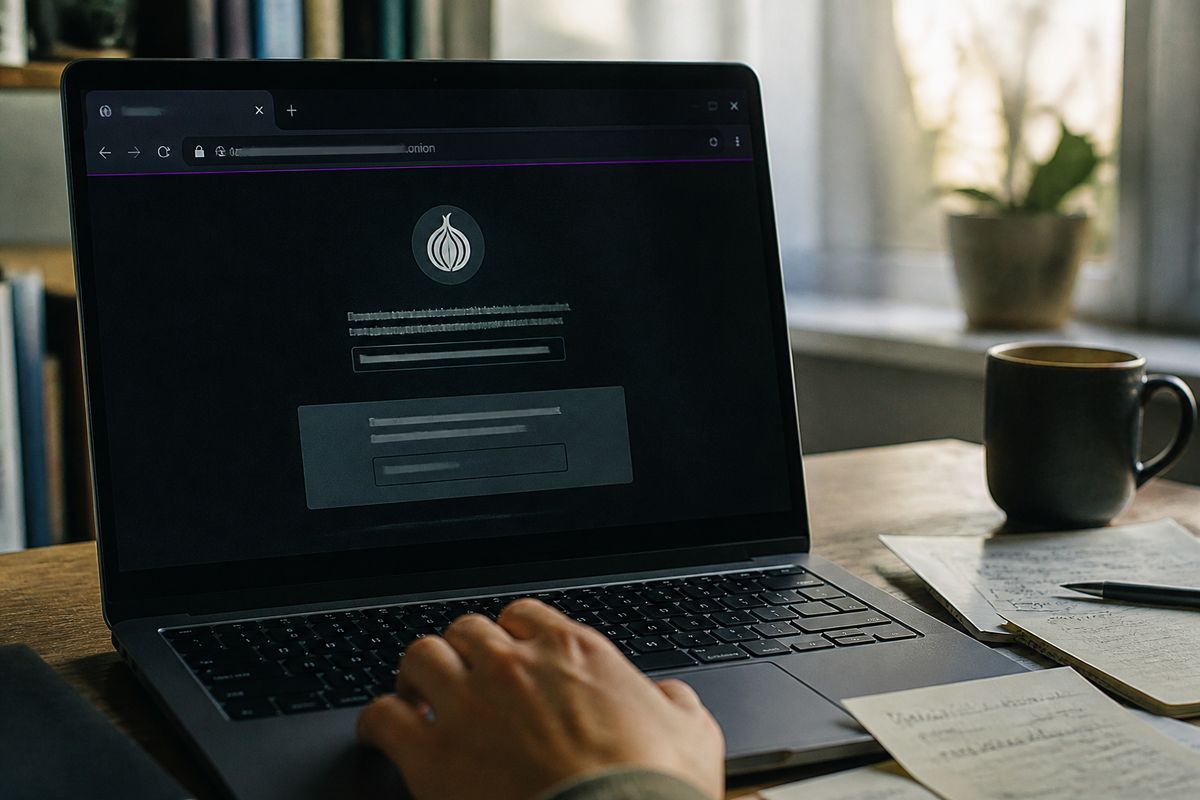
A deepweb browser is a web browser configured to access .onion sites on the Tor network. The standard choice is Tor Browser, which routes traffic through three relays and isolates each site to reduce tracking.
Tor Browser — official bundle for desktop and Android, based on Firefox ESR
Onion Browser — third-party option for iOS, with fewer built-in protections
Brave — includes a private window with Tor, but not a full Tor Browser replacement
Before using any of these, verify the download source and check that the browser’s security level is set to ‘Safest’ for .onion browsing.
Comparative Overview of Deep Web Browsers
| Browser | Platform | Onion Support | Anonymity Network | Fingerprint Resistance | Open Source | Cost |
|---|---|---|---|---|---|---|
| Tor Browser | Desktop, Android | .onion | Tor | High | Yes | Free |
| Onion Browser | iOS | .onion | Tor | Moderate | No | Free |
| Brave | Desktop, Mobile | Partial | Tor (private window) | Moderate | Yes | Free |
| Zeronet | Desktop | No | Zeronet | High | Yes | Free |
| I2P Browser | Desktop | No | I2P | High | Yes | Free |
| Freenet | Desktop | No | Freenet | High | Yes | Free |
| Whonix | Desktop | No | Tor (via VM) | High | Yes | Free |
| Tails | Live OS | No | Tor | High | Yes | Free |
| Epic Browser | Desktop | No | None | Moderate | No | Free |
What a Deep Web Browser Actually Does (and Doesn't Do)
A deep web browser is specifically designed to access .onion sites, utilising anonymity networks like Tor, I2P, or Freenet. This is fundamentally different from conventional browsers that offer a privacy mode. While standard browsers may conceal browsing history and clear cookies, they do not anonymise traffic or provide the same level of security.
Deep web browsers, such as Tor Browser, route internet traffic through multiple relays within an anonymity network. This process masks the user's IP address and encrypts the data, making it significantly more difficult for anyone to track online activities. In contrast, privacy modes in regular browsers merely limit local tracking and do not offer true anonymity or protection from external surveillance.
It is also crucial to understand the distinction between the deep web and the dark web. The deep web encompasses a vast range of content, including paywalled sites, databases, and other pages that require authentication. Estimates suggest that the deep web is hundreds of times larger than the surface web. The dark web, however, refers specifically to parts of the deep web that require special software to access, such as Tor or I2P, and is often associated with illicit activities.
When choosing a deep web browser, consider the following:
Routing Traffic: Ensure the browser routes traffic through an anonymity network.
Fingerprinting Resistance: Look for features that enhance resistance to tracking techniques.
Compatibility: Some browsers, like Brave, offer a Tor mode but do not function as full replacements for dedicated deep web browsers.
For secure access to .onion sites, it is advisable to verify the browser’s source and confirm that the security settings are optimised for anonymity, such as selecting the ‘Safest’ mode in Tor Browser. Understanding these differences will help the reader make informed decisions when exploring the deep web.
Tor Browser: The Default Standard for Onion Access
Tor Browser is widely regarded as the baseline for accessing .onion sites on the Tor network. It features automatic cookie clearing and isolates each site to prevent tracking, thereby enhancing user privacy. This design helps maintain anonymity by blocking trackers and reducing the risk of fingerprinting.
The Tor Browser can be downloaded exclusively from the official source, torproject.org. It is compatible with multiple platforms including Windows, macOS, Linux, and Android, making it accessible for a broad range of users. The browser's architecture is based on Firefox ESR, which is modified to enhance security and privacy features.
Most security guides recommend Tor Browser as the only browser suitable for accessing .onion sites. This recommendation stems from its robust built-in protections and the fact that it is specifically designed to function within the Tor network. The Tor network itself is separate from the browser; it is an anonymity network that routes internet traffic through multiple relays, masking the user's IP address and encrypting data.
When using Tor Browser, it is advisable to set the security level to ‘Safest’. This setting disables potentially vulnerable features such as JavaScript, which can be exploited to compromise anonymity. Additionally, users should be cautious about downloading files or clicking on links, as these actions can expose them to risks.
In summary, Tor Browser stands out as the primary choice for users seeking to navigate .onion sites securely. Its unique features, such as cookie management and tracker blocking, along with its compatibility across various platforms, provide a solid foundation for privacy-conscious individuals exploring the deep web.
I2P, Freenet, and Tails: When You Need More Than Tor
I2P, Freenet, and Tails are alternative tools for users seeking enhanced anonymity and security beyond what Tor Browser offers. Each serves distinct purposes within the realm of privacy-focused browsing.
I2P
I2P (Invisible Internet Project) is a decentralised network primarily designed for hosting internal services, accessible through .i2p sites. Unlike Tor, which focuses on providing access to the public internet, I2P enables users to communicate and share information anonymously within its own network. This system utilises garlic routing, which encrypts multiple messages together, enhancing privacy. I2P is particularly useful for peer-to-peer applications, allowing users to share files and host websites without exposing their identities.
Freenet
Freenet is another privacy-centric platform that focuses on anonymous publishing and data storage. Users can create and access content without revealing their identities, making it suitable for whistleblowers and activists. Freenet operates on a decentralised model, distributing data across multiple nodes, which helps to prevent censorship and surveillance. It is essential to note that Freenet is not designed for traditional web browsing and does not support .onion sites; instead, it offers a unique environment for anonymous sharing and storage.
Tails
Tails is a live operating system that runs from a USB stick or DVD, designed to preserve privacy and anonymity. It routes all internet connections through the Tor network, ensuring that no traces are left on the host machine. Tails is particularly beneficial for users who require a secure environment for sensitive tasks, such as journalists or activists. Since it operates independently of the host operating system, it mitigates risks associated with malware or spyware.
These tools are not direct replacements for Tor Browser but serve complementary roles. Users should select the appropriate tool based on their specific threat models and privacy needs. For instance, if a user needs to publish information anonymously, Freenet may be ideal, while those looking for a secure browsing experience without leaving traces might prefer Tails. Understanding these differences aids in making informed decisions when navigating the deep web.
Mobile Deep Web Browsers: Android vs iOS Reality Check
The choice of mobile deep web browsers varies significantly between Android and iOS platforms. On Android, the official Tor Browser from the Tor Project is available, providing a secure and reliable way to access .onion sites. This browser maintains the same level of anonymity and security as its desktop counterpart, routing traffic through the Tor network and ensuring that user data is not collected.
In contrast, iOS lacks an official Tor Browser. Instead, users can opt for third-party applications like Onion Browser, which is the closest open-source alternative. While Onion Browser offers basic access to .onion sites, it does not provide the same level of built-in protections against tracking and fingerprinting as Tor Browser.
When exploring options, users should be cautious of many apps marketed as 'dark web browsers' in the App Store. A significant number of these applications operate on paid subscription models and often feature fake reviews, raising concerns about their legitimacy and security. These third-party apps may collect identifiers or other data, compromising user privacy. In contrast, the official Tor Browser collects no data, making it a safer choice for privacy-conscious users.
Before downloading any mobile browser for deep web access, verify the source and check the app’s data safety labels. Users should ensure the app is free from data collection practices, as many clones and alternatives do not adhere to the same privacy standards as the official Tor Browser.
In summary, while Android users have direct access to the official Tor Browser, iOS users must rely on alternatives like Onion Browser, which may not offer the same level of security. Prioritising the official sources and understanding the limitations of third-party apps can significantly enhance user safety when exploring the deep web.
Brave, Mullvad, and Other Browsers with Tor Mode: Good Enough?
Brave's Tor mode and Mullvad Browser present alternative options for users seeking privacy but come with important limitations.
Brave Browser offers a Tor mode that routes traffic through the Tor network. This feature enhances user privacy by obscuring IP addresses, yet it does not replicate the full capabilities of the Tor Browser. The fingerprinting resistance in Brave is weaker compared to Tor Browser, making it less effective against tracking techniques. Users may find this acceptable for occasional browsing, especially when accessing less sensitive content. However, for high-risk activities or accessing sensitive .onion sites, relying solely on Brave's Tor mode may expose users to potential tracking and identification risks.
Mullvad Browser, on the other hand, is designed with a strong emphasis on fingerprinting resistance. It does not access .onion sites by default, which can be a critical limitation for those specifically looking to navigate the dark web. Mullvad's focus on privacy features makes it suitable for users concerned about tracking during regular web browsing. Yet, when it comes to accessing .onion resources, users will need to consider additional methods or tools.
For users engaging in occasional browsing where anonymity is not paramount, Brave's Tor mode or Mullvad Browser may suffice. However, in scenarios that involve high-risk browsing, such as accessing sensitive onion sites or engaging in activities that require robust anonymity, it is advisable to use the Tor Browser. The Tor Browser is built for these scenarios, providing higher levels of fingerprinting resistance and security features tailored for safe .onion navigation.
In summary, while Brave and Mullvad offer user-friendly features for privacy, they are not substitutes for the comprehensive anonymity provided by the Tor Browser when accessing sensitive content on the deep web.
Comparison Table: Deep Web Browsers at a Glance
The following table provides a comparative overview of various deep web browsers, highlighting their key features and ideal use cases. This information assists users in selecting the most suitable option for accessing .onion sites safely and securely.
| Browser | Platform | .onion Support | Anonymity Network | Fingerprint Resistance | Open Source | Cost | Best Use Case |
|---|---|---|---|---|---|---|---|
| Tor Browser | Windows, macOS, Linux, Android | Yes | Tor Network | High | Yes | General use for .onion browsing | |
| I2P | Windows, macOS, Linux | No | I2P | High | Yes | Peer-to-peer applications, internal services | |
| Freenet | Windows, macOS, Linux | No | Freenet | Moderate | Yes | Anonymous publishing and data storage | |
| Tails | USB/DVD (Live OS) | Yes | Tor Network | High | Yes | Secure environment for sensitive tasks | |
| Whonix | Virtual Machine | Yes | Tor Network | High | Yes | Comprehensive privacy-focused OS | |
| Mullvad Browser | Windows, macOS, Linux | Limited | None | High | Yes | Regular browsing with privacy focus | |
| Brave (Tor mode) | Windows, macOS, Linux, Android | Yes | Tor Network | Moderate | Yes | Casual browsing with some privacy features | |
| Onion Browser (iOS) | iOS | Yes | None | Low | Yes | Basic access to .onion sites on iOS | |
| Orbot | Android | Yes | Tor Network | Moderate | Yes | Tor proxy for Android applications |
This table outlines essential characteristics of each browser, providing a clear snapshot for users. It is important to note that while some browsers support .onion access, others may serve different purposes within the privacy landscape. Always ensure the browser chosen aligns with the user’s specific needs for anonymity and security.
Common Mistakes When Choosing a Deep Web Browser
Selecting a deep web browser involves navigating various pitfalls that can compromise security and anonymity. Awareness of these common mistakes can help users make informed choices.
Downloading Tor from Unofficial Sites
One prevalent mistake is downloading the Tor Browser from unofficial sources. This practice increases the risk of malware infections, as unofficial sites may host compromised versions of the software. To avoid this, always download Tor directly from the official Tor Project website. This ensures that the software is legitimate and free from malware.
Incorrectly Using a VPN with Tor
Using a VPN in conjunction with Tor can lead to a false sense of security if done incorrectly. Some users believe that simply using a VPN with Tor guarantees anonymity, but this can inadvertently deanonymise them. For effective anonymity, connect to Tor first, then use the VPN if desired. This setup prevents the VPN provider from seeing that the user is accessing the Tor network.
Trusting 'Dark Web Browser' Apps with Subscription Fees
Many third-party applications marketed as ‘dark web browsers’ often come with subscription fees and questionable privacy practices. These apps may not provide the same level of security as the Tor Browser and might even collect user data. Users should avoid these apps and stick to reputable browsers like Tor, which is free and open-source.
Using Regular Browsers with Incognito Mode
Some users mistakenly believe that using incognito mode in regular browsers offers anonymity similar to Tor. However, incognito mode does not prevent tracking by websites or ISPs and does not provide the same level of privacy as a dedicated deep web browser. For accessing .onion sites, it is essential to use a proper deep web browser like Tor Browser or I2P.
Ignoring Fingerprinting
Fingerprinting techniques can track users even when they employ anonymity networks. Many browsers, including Tor, provide some resistance to fingerprinting, but relying solely on this can be risky. Users should consider additional measures to enhance fingerprinting resistance, such as using operating systems designed for privacy, like Tails or Whonix.
By avoiding these common mistakes, users can significantly improve their security and anonymity while exploring the deep web. Understanding the correct actions to take can lead to a safer browsing experience, especially when accessing sensitive content on .onion sites. For more guidance on best practices, see Navigating the Dark Web Online: Best Practices.
Is It Legal to Use a Deep Web Browser? What Actually Gets You in Trouble
Using deep web browsers like Tor or I2P is legal in many countries, including the US, UK, and Australia. The legality primarily hinges on the activities conducted while using these browsers rather than the browsers themselves. Simply visiting .onion sites does not constitute a crime; however, engaging in illegal activities such as purchasing illegal goods or accessing child sexual abuse material (CSAM) is prohibited and can lead to severe legal consequences.
Law enforcement agencies, including the FBI, can track Tor users through operational security failures rather than breaking Tor's encryption. Instances of user identification often arise from poor privacy practices, such as revealing personal information or using identifiable accounts while browsing. Thus, maintaining strict operational security is critical for users seeking anonymity.
What Activities Are Illegal?
To clarify, here are some activities that can lead to legal trouble when using a deep web browser:
Purchasing illegal goods: Buying drugs, weapons, or stolen data is illegal and can result in prosecution.
Accessing CSAM: Engaging with or distributing child sexual abuse material is a serious crime with severe penalties.
Fraudulent activities: Participating in scams or identity theft can also lead to legal issues.
What to Keep in Mind
Legitimate uses: Many users access the deep web for legal purposes, such as privacy protection, secure communication, or exploring forums that discuss sensitive topics.
Avoiding pitfalls: Ensure that browsing practices do not inadvertently expose personal information or lead to illegal activities.
By understanding the legal landscape surrounding deep web browsers, users can navigate these tools safely. For further guidance on best practices while exploring the deep web, refer to Navigating the Dark Web Online: Best Practices.
Quick Setup Checklist for First-Time Onion Browsing
For those new to accessing .onion sites, following a structured setup can enhance security and anonymity. Here is a step-by-step checklist to ensure a safe browsing experience.
Step-by-Step Checklist
Download from Official Source
Always download the Tor Browser from the official Tor Project website. This prevents the risk of malware from unofficial sources.Verify Signature
After downloading, verify the software’s signature to ensure its integrity. This step confirms that the browser has not been tampered with.Disable JavaScript for Untrusted Sites
JavaScript can expose users to vulnerabilities. Disable it in the browser settings when visiting untrusted .onion sites.Avoid Maximising the Browser Window
Keeping the browser window at a smaller size can help reduce the risk of revealing your screen resolution, which is a fingerprinting method.Do Not Log into Personal Accounts
Avoid using any personal accounts while browsing .onion sites. Logging in can link your identity to your browsing activity.Use a Separate Identity
Create a new identity for deep web browsing. This includes using a different email address and not disclosing personal information.Close Browser After Session
Always close the Tor Browser after each session. This ensures that your browsing history is cleared and reduces the risk of data leakage.
Downloadable Checklist
For convenience, a downloadable checklist is available to help you ensure all steps are followed before accessing .onion sites.
By adhering to this checklist, users can significantly enhance their security and anonymity while navigating the deep web. Proper preparation is crucial for a safe and effective browsing experience.
Выводы
Tor Browser remains the primary choice for .onion access on desktop and Android; it is free, open source, and built for the Tor network.
Tails and Whonix suit users who need a disposable or isolated environment, not a daily browser.
Brave’s Tor mode and Onion Browser offer convenience, but lower fingerprint resistance than Tor Browser.
Download only from the official Tor Project site; verify the signature before first launch.
Avoid subscription-based ‘dark web browser’ apps and incognito mode as substitutes for a dedicated anonymity browser.
For first-time setup steps and operational precautions, see Navigating the Dark Web Online: Best Practices.
Discover More on Deep Web Browsers
Explore additional resources to enhance your online privacy.
Browse More ArticlesFurther services. We keep a short list of services we check regularly. Resources