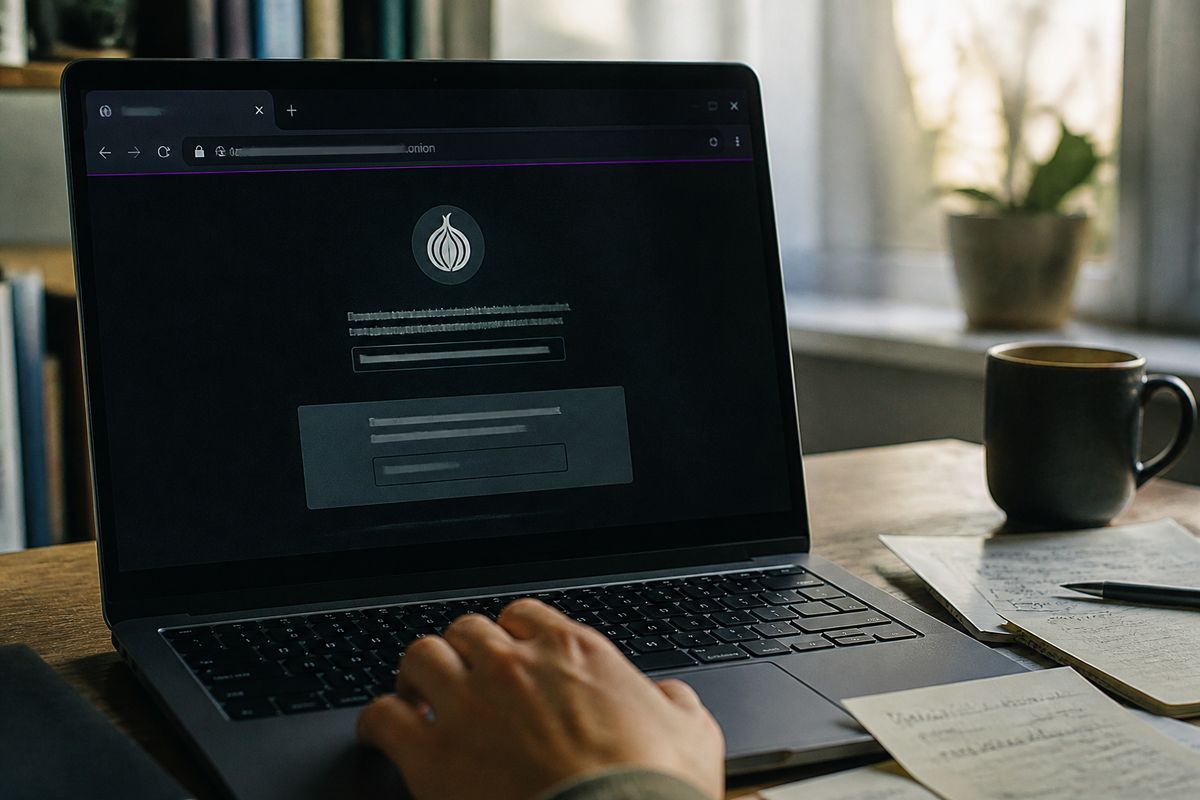
‘Black web access’ usually means opening .onion sites through the Tor network. The first step is to download Tor Browser from the official torproject.org site, then connect to the Tor network before entering any address. After that, treat every .onion link as untrusted until verified.
Quick Safety Checklist Before You Browse
| Step | Action | Purpose | Notes |
|---|---|---|---|
| 1 | Download Tor Browser | Access .onion sites | Use official torproject.org |
| 2 | Connect to Tor network | Ensure anonymity | Wait for connection confirmation |
| 3 | Verify .onion links | Avoid untrusted content | Check for reviews or sources |
| 4 | Use a VPN | Add extra privacy layer | Depends on VPN service quality |
| 5 | Disable scripts | Prevent tracking | Use NoScript or similar add-ons |
| 6 | Clear cache regularly | Protect personal data | Do this after each session |
What “Black Web Access” Actually Means
The term 'black web access' often leads to confusion, as many users actually refer to the dark web and specifically .onion sites, not the deep web. Understanding the distinction between the surface web, deep web, and dark web is crucial for navigating safely.
The surface web consists of all web pages indexed by traditional search engines like Google. This includes websites that are easily accessible and require no special software to view. In contrast, the deep web encompasses all parts of the internet not indexed by standard search engines. This includes databases, private corporate sites, and content behind paywalls. While the deep web is vast, it is not inherently illegal or malicious.
The dark web is a small portion of the deep web, intentionally hidden and inaccessible through standard web browsers. It requires specific software, most commonly the Tor Browser, to access .onion sites. These sites use a unique domain structure that cannot be opened by traditional browsers due to their reliance on the Tor network for anonymity and encryption.
Using the Tor Browser is essential for accessing .onion domains. This browser is designed to anonymise user traffic by routing it through multiple servers, making it difficult to trace. Third-party apps that claim to provide access to the dark web may expose users to significant risks, including IP leaks and malware. Therefore, the safest route for users seeking to explore .onion sites is through the official Tor Browser, as advocated by the Tor Project.
Many searchers looking for 'black web access' are seeking guidance on using Tor effectively, rather than alternative applications. Understanding this distinction can significantly enhance users' safety and experience while navigating the dark web.
Legal Status: Is Accessing the Dark Web Illegal?
Accessing the dark web itself is legal in most countries, including the use of the Tor Browser to visit .onion sites. The legality issues arise primarily from the activities conducted on these platforms rather than the act of accessing them. Engaging in illegal activities, such as purchasing illicit substances or services, can lead to legal repercussions.
Countries like China, Russia, and Iran impose strict regulations on internet usage, which often includes blocking access to the Tor network. In these regions, accessing the dark web can lead to significant penalties. For instance, in China, the government actively monitors internet traffic and has implemented measures to prevent access to Tor. In Russia, using tools like VPNs or Tor may be subject to legal constraints, with authorities cracking down on perceived threats to national security.
The Tor Project itself advises users to be aware of their local laws regarding the use of Tor and VPNs. While the Tor network aims to provide anonymity, the use of VPNs can also be regulated in certain jurisdictions. Users should verify whether their VPN provider complies with local laws to avoid potential legal issues.
To ensure safe access to the dark web, it is advisable to follow best practices. Always use the official Tor Browser, avoid engaging in illegal activities, and remain informed about the legal status of such tools within your country. For further insights on navigating the dark web safely, refer to Navigating the Dark Web Online: Best Practices.
Step-by-Step Safe Access Setup
Establishing a secure connection to the dark web requires careful planning and execution. Follow these steps to ensure a safe browsing experience.
Define Your Goal: Understand why you want to access the dark web. This clarity will guide your actions and help you avoid unnecessary risks.
Choose a Reputable VPN: If additional privacy is needed, select a trustworthy VPN. Ensure it has a no-logs policy and strong encryption features. Some users prefer connecting to the VPN before launching the Tor Browser to hide Tor usage from their Internet Service Provider (ISP).
Close Other Apps: Before starting, close any unnecessary applications. This reduces the risk of data leaks and ensures that only the Tor Browser is active during your session.
Download Tor Browser: Obtain the Tor Browser exclusively from the official website, torproject.org. This step prevents the risk of downloading malicious versions from unofficial sources.
Verify the Signature: After downloading, verify the software's signature. This process confirms that the browser has not been tampered with and is the genuine version from the Tor Project.
Check for IP/DNS/WebRTC Leaks: Use tools to ensure there are no leaks. An IP leak can expose your real IP address, while DNS and WebRTC leaks can compromise your anonymity. Regular checks are advisable, especially if using a VPN.
Connect and Adjust Settings: Once connected, set the security level in the Tor Browser to ‘Safest’. This setting disables JavaScript, which can be a vector for attacks and tracking. To disable JavaScript, navigate to the security settings and select the appropriate option.
App-store applications claiming to provide 'black web access' can pose significant risks. They may not have undergone security assessments, potentially leading to malware infections or data breaches. Using the official Tor Browser is the most reliable method for accessing .onion sites safely.
By following this structured approach, users can significantly enhance their security posture while exploring the dark web. For more detailed practices on navigating safely, refer to Navigating the Dark Web Online: Best Practices.
Common Mistakes That Break Anonymity
Maintaining anonymity on the dark web requires vigilance. Several common mistakes can inadvertently expose users to risks such as IP leaks, fingerprinting, and de-anonymisation.
Logging into Personal Accounts
Logging into personal accounts while using the Tor Browser can lead to immediate de-anonymisation. If a user accesses a social media account or an email service, their real identity may be linked to their Tor activity. This is particularly concerning as many services track users across sessions, potentially compromising anonymity.
Resizing the Tor Window
Resizing the Tor Browser window can result in fingerprinting. Websites can collect information about screen resolution and browser dimensions. This data may be used to create a unique profile for the user, making it easier to track their online activities.
Enabling Browser Extensions
Using browser extensions within the Tor Browser can expose users to various vulnerabilities, including IP leaks. Extensions may not be designed with the same privacy standards as the Tor Browser and can communicate with external servers, inadvertently revealing the user’s real IP address.
Opening Downloaded Files While Online
Opening downloaded files while connected to the Tor network can lead to significant risks. Many files, especially those in formats like PDFs or Office documents, can contain scripts that execute upon opening, potentially leaking information about the user's system or IP address.
Using the Same Identity Across Surface and Dark Web
Maintaining the same identity across both the surface web and the dark web can lead to de-anonymisation. If a user engages in activities on both platforms while using the same credentials, it creates a direct link between their identity and their dark web activities.
Incorrectly Configured VPNs
Using a VPN that is set up incorrectly can expose users to IP leaks. It is essential to ensure that the VPN is configured to work seamlessly with the Tor Browser. If the VPN disconnects, the user’s real IP address may be exposed unless additional safeguards are in place.
Free Dark Web Browser Apps
Downloading ‘free dark web browser’ apps from platforms like Google Play can be particularly dangerous. These applications may not offer the same level of security as the official Tor Browser and could be designed to harvest user data or install malware.
To ensure a safer browsing experience, users should remain aware of these common mistakes and take proactive measures to avoid them. For further guidance on safe browsing practices, see Navigating the Dark Web Online: Best Practices.
Finding Real Onion Links Without Getting Scammed
Accessing .onion sites requires caution, as there is no Google index for these hidden websites. This absence of a reliable search engine means that users must rely on trusted sources to find legitimate onion links.
Trusted starting points include the official Tor Project's onion site, which provides essential resources and information for users. Another reputable source is Dark.fail, a site dedicated to providing verified .onion links. Additionally, various onion directories exist that offer links with verification, ensuring that users can navigate safely.
It is crucial to avoid random lists of 'dark web links' often found on forums or unverified websites. These lists can lead to phishing clones or malicious marketplaces that may steal deposits or compromise personal information. Many users have reported losing funds due to scams stemming from these unverified sources.
Checklist for Verifying a Link Before Clicking
Source Verification: Check if the link comes from a reputable source, such as the Tor Project or Dark.fail.
Look for Reviews: Search for user experiences related to the specific .onion link. Genuine sites often have discussions or reviews on forums.
Check for HTTPS: Although .onion sites don’t use traditional HTTPS, ensure that any links are not redirecting to non-secure sites.
Cross-reference Links: Use multiple sources to confirm the legitimacy of a link before visiting it.
Be Wary of Requests for Personal Information: Legitimate .onion sites generally do not ask for personal details that can identify you.
By following this checklist, users can reduce the risk of falling victim to scams and ensure a safer experience while exploring the dark web.
VPN + Tor: When It Helps and When It Hurts
Using a VPN alongside Tor can enhance privacy, but the configuration matters significantly. There are two primary setups: VPN before Tor and Tor before VPN.
In the VPN before Tor configuration, the user connects to a VPN first and then launches the Tor Browser. This arrangement helps to hide Tor usage from the Internet Service Provider (ISP), making it difficult for them to determine whether the user is accessing Tor. However, it does not provide anonymity from the VPN provider, which can still monitor user activity unless they have a strict no-logs policy. Some reputable VPNs claim to have such policies, but users should research individual providers carefully.
Conversely, in the Tor before VPN setup, users connect to the Tor network first and then use a VPN. This method is less common and generally not recommended because it can introduce complexities and potential vulnerabilities. For instance, if the VPN disconnects, the user's real IP address may be exposed through the Tor exit node. This setup can also complicate the connection, making it harder to troubleshoot issues related to speed and reliability.
A common misconception is that using a VPN automatically makes Tor safer. While a VPN can add a layer of privacy, it does not eliminate the risks associated with using Tor. The Tor Project itself states that while a VPN can enhance privacy, it should not be relied upon for complete anonymity. Users must remain cautious and informed about both tools' limitations.
There are specific scenarios where a VPN is useful. For example, if a user wishes to hide their Tor usage from an ISP, using a VPN before connecting to Tor can be beneficial. On the other hand, users should be wary of trusting VPNs that log user activity. Such services can compromise anonymity and expose users to tracking.
In summary, the choice between VPN before Tor or Tor before VPN depends on the user's specific needs and understanding of the risks involved. For those seeking to explore the dark web safely, understanding these configurations is crucial for maintaining privacy and anonymity.
Quick Safety Checklist Before You Browse
Before accessing the dark web, it is essential to ensure that your setup is secure. The following checklist consolidates critical safety measures, helping users avoid common pitfalls.
Pre-Access Checklist
Update Tor Browser: Always use the latest version of the Tor Browser to benefit from security updates and improvements. Download it from the official Tor Project website to avoid malicious versions.
Set Security Level to ‘Safest’: Navigate to the security settings in the Tor Browser and set the security level to ‘Safest’. This setting disables JavaScript and blocks potentially harmful features.
Avoid Personal Accounts: Do not log into any personal accounts while using the Tor Browser. This action can de-anonymise you and link your real identity to your dark web activities.
Disable Extensions: Ensure that no browser extensions are active. These can create vulnerabilities and may reveal your IP address or other identifying information.
Do Not Maximise the Window: Keeping the Tor Browser window at a standard size helps prevent fingerprinting. Websites can track your screen dimensions, which may lead to unique identification.
Decide on VPN Usage: If using a VPN, choose a reputable provider with a strong no-logs policy. Connect to the VPN before launching the Tor Browser to hide your Tor usage from your ISP.
Verify Destination Links: Before clicking on any .onion links, verify their authenticity. Use trusted directories or forums to confirm that the links are legitimate and not scams.
Disable Auto-Opening of Files: Configure your settings to prevent files from automatically opening after downloading. Opening files while online can expose your system to threats.
By following this checklist, users can significantly enhance their safety while accessing .onion sites. Each step addresses specific risks associated with dark web browsing, ensuring a more secure experience. For further guidance on safe browsing practices, see Navigating the Dark Web Online: Best Practices.
Troubleshooting: Why Tor Won’t Connect
Several factors can prevent the Tor Browser from establishing a connection, which can be frustrating for users trying to access the dark web. Understanding these issues is essential for troubleshooting effectively.
Common Connection Issues
Clock Sync Issues: If the system clock is not synchronised with the correct time, Tor may fail to connect. Ensure that your device's date and time settings are accurate. This can be checked in the system settings.
ISP Blocking: Internet Service Providers (ISPs) may block access to the Tor network. This is especially common in countries with strict internet censorship. If you suspect this is the case, consider using a VPN before connecting to Tor to help bypass these restrictions.
Captive Portals: If you are connected to a public Wi-Fi network, such as in a café or library, you might encounter a captive portal that requires you to log in or accept terms before accessing the internet. Ensure that you have completed any necessary steps to gain internet access.
Censored Networks: In regions where access to Tor is restricted, using bridge relays can be a solution. Bridges are private Tor relays that are not listed publicly, making them harder to block. To configure bridges, select 'Configure' in the Tor Browser and follow the prompts to use bridges.
Outdated Tor Browser: Running an outdated version of the Tor Browser can lead to connection issues. Always download the latest version from the official Tor Project website to ensure optimal performance and security.
Antivirus Interference: Some antivirus programs may mistakenly identify Tor traffic as malicious and block the connection. If issues persist, consider temporarily disabling your antivirus software or adding Tor as an exception.
Built-in Connection Help
The Tor Browser includes built-in help for connection issues. If you encounter problems, click on the 'Help' option in the menu and select 'Tor Network Settings'. This section provides guidance on configuring your connection and using bridges.
Can I Still Access the Dark Web?
The ability to access the dark web is contingent on successfully connecting to the Tor network. If you are unable to resolve connection issues, accessing .onion sites will not be possible. Always ensure your setup is correct and consider alternative access methods if your region is heavily censored.
By understanding these common failure points and utilising the built-in tools, users can troubleshoot connection issues effectively and secure their access to the dark web.
Выводы
Use the official Tor Browser from the Tor Project, keep it updated, and set the security level to ‘Safest’ before opening any .onion link.
Treat random dark web link lists as untrusted; verify sources through directories with user ratings or community feedback.
Decide the VPN setup before browsing: VPN before Tor hides Tor use from the ISP, while Tor before VPN obscures the IP from the VPN provider.
Never log into personal accounts, install extensions, or allow files to auto-open during a dark web session.
If Tor will not connect, check system clock synchronisation, ISP blocking, captive portals, outdated browser versions, and antivirus interference in that order.
For a step-by-step approach to safe browsing practices, see Navigating the Dark Web Online: Best Practices.
Explore More on Safe Dark Web Access
Discover additional resources to enhance your online privacy.
View More ArticlesFurther services. We keep a short list of services we check regularly. Resources