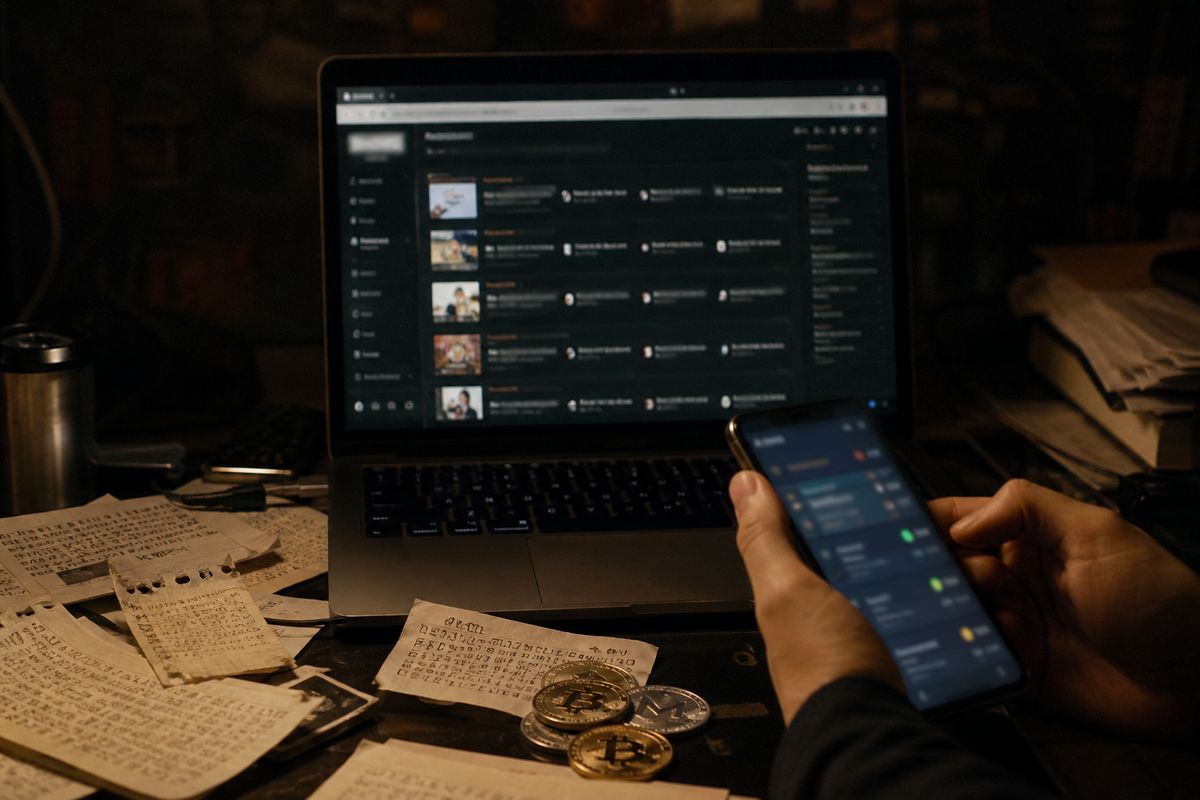
An email address found on the dark web usually means it appeared in a leaked database, often alongside passwords or other personal details. Check it through a breach notification service such as Have I Been Pwned, then act on any listed exposures. Immediate steps include:
Change the password for that email account.
Enable two-factor authentication.
Update reused passwords on other services.
Email Exposure on the Dark Web: Alerts vs. Scams
| Type | Description | Legitimacy | Action Steps |
|---|---|---|---|
| Legitimate Alert | Email found in a breach notification | Verified by trusted service | Change password, enable 2FA |
| Scam Alert | Email claiming dark web exposure | Often misleading or fraudulent | Do not click links, verify source |
| Legitimate Source | Have I Been Pwned | Reputable breach notification service | Follow recommended actions |
| Scam Indicators | Poor grammar, urgent tone | Common in phishing attempts | Delete immediately, report if necessary |
What “Your Email Is on the Dark Web” Actually Means
An email address appearing on the dark web does not necessarily indicate that the associated account has been hacked. It often means that the email was part of a data breach, where personal information is aggregated and sold or shared on various platforms. This distinction is crucial; an email may show up in a breached database without the credentials being actively used for malicious purposes.
Most alerts regarding dark web exposure stem from breach compilations rather than live dark web marketplaces. For instance, in 2020, a massive compilation known as COMB (Compilation of Many Breaches) surfaced, containing 3.2 billion email-password pairs. This scale illustrates how widely email addresses can be exposed without indicating that individual accounts are compromised or being exploited in real time.
To verify if your email has been involved in a data breach, services like Have I Been Pwned can provide insights into whether your email is part of a known leak. If your email appears in such a database, it’s advisable to take immediate action, such as changing your password and enabling two-factor authentication (2FA) to enhance security.
Understanding the difference between an email being exposed and an account being hacked is essential for managing online security. Just because an email address is found does not mean it is actively being used for phishing or credential stuffing attacks. However, vigilance is necessary, as attackers often exploit exposed credentials for nefarious activities. Always monitor your accounts regularly and consider employing a password manager to manage unique passwords for different services.
How to Check If Your Email Address Was Exposed
To determine if an email address has been compromised, several free tools can help. These tools check various breach indexes and provide insights into password strength.
Have I Been Pwned
This service allows users to check if their email address has been involved in a data breach. It uses a k-anonymity API, ensuring that only the first five characters of the SHA-1 hash of the email are sent, which enhances privacy. Users simply enter their email address on the site, and it will return any known breaches associated with that address.
Google Password Checkup
This tool is integrated into Google Chrome and alerts users if their saved passwords have been involved in a breach. When a user logs into a site, it checks their credentials against known data breaches. If a match is found, Google will suggest changing the password for that account.
Firefox Monitor
Similar to Have I Been Pwned, Firefox Monitor allows users to check their email addresses against known data breaches. Users can sign up for notifications, which will alert them if their email appears in future breaches. This proactive approach helps in maintaining security.
Password Managers with Breach Notifications
Many password managers offer breach notification features. These tools not only store and generate strong passwords, but they also monitor for any breaches involving the stored credentials. Users are notified if any of their accounts are compromised, allowing for quick action.
Checking Secondary or Work Emails
To check secondary or work email addresses, follow the same steps outlined above. Enter each email into the respective tools. It is crucial to monitor all email addresses used for online accounts, as breaches can occur across different services.
By utilising these tools, individuals can stay informed about potential exposures and take necessary actions to secure their accounts. Regularly checking for breaches and updating passwords with unique, strong combinations can significantly enhance online security.
What the Results Mean: Reading a Breach Report Without Panicking
Understanding a breach report is essential for assessing the risk to your accounts. Typical fields in a breach report include the breach name, date, and types of compromised data, such as email, password, phone number, address, and Social Security Number (SSN). Each of these elements provides valuable information about the severity of the breach.
For example, a breach from 2013, like Adobe, is generally considered less urgent than a 2024 breach that exposes plaintext passwords. This is due to the likelihood that older breaches have been mitigated through updates and security improvements, whereas newer breaches may still pose an immediate threat.
A simple severity framework can help you gauge the risk associated with your exposure:
Email only: Low severity. This means your email address was involved but does not indicate a higher risk.
Email + hashed password: Medium severity. The password is not in plaintext but could still be cracked with enough effort.
Email + plaintext password + SSN: High severity. This combination poses a significant risk, as attackers can easily exploit this information.
Real-world examples illustrate this framework:
LinkedIn (2012): 117 million accounts were compromised, primarily with hashed passwords. This poses a medium risk, as many users may have reused passwords.
Adobe (2013): 153 million accounts were breached, with many passwords stored in hashed formats, suggesting a medium risk.
Collection #1: This massive compilation contained over 1.1 billion records, including plaintext passwords and emails, categorised as high risk due to the sensitive nature of the data.
When interpreting these results, consider the type of data exposed and the context of the breach. If your email appears in a breach report, take immediate action based on the severity of the exposure. Secure your accounts by changing passwords, especially for those linked to high-risk breaches, and enable two-factor authentication (2FA) for added protection. Regular monitoring and proactive measures can significantly reduce the risk of credential stuffing and phishing attacks.
Immediate Steps If Your Email Is Exposed
Immediate action is crucial if your email is found on the dark web. Follow these steps in order of priority:
Change Password on the Breached Account: Immediately update the password for the compromised email account. Ensure that the new password is strong and unique. If other accounts use the same password, change those as well. Reusing passwords can lead to broader access through credential stuffing attacks.
Enable Two-Factor Authentication (2FA): Activate 2FA on the breached account and any other accounts where it is available. This adds an extra layer of security, requiring a second form of verification, such as a text message or an authentication app, to access your account.
Check for Account Recovery Changes: Review your account recovery settings. Ensure that the backup email and phone number associated with your account have not been altered. Attackers may change these settings to regain access if they have already infiltrated your account.
Review Recent Account Activity: Examine your account for any suspicious activity. Look for unfamiliar logins, changes to settings, or unauthorised transactions. If you notice anything unusual, report it to the service provider immediately.
Set Up Breach Alerts: Use services like Have I Been Pwned to receive notifications if your email appears in future breaches. This proactive approach can help you stay informed and react promptly to new threats.
It is important to note that once data appears on the dark web, it cannot be removed. The focus should be on mitigating the risks associated with exposure. To enhance security further, consider using a password manager. These tools can generate strong, unique passwords for each of your accounts, reducing the risk of future breaches.
By following these steps, the reader can effectively secure their accounts and minimise the impact of any potential exposure on the dark web.
Common Mistakes People Make After a Dark Web Alert
After receiving a dark web alert, individuals often make critical errors that can exacerbate their situation. Understanding these common mistakes and implementing correct alternatives can significantly enhance online security.
Reusing Passwords with Minor Variations
One frequent error is modifying existing passwords slightly, such as changing ‘Password123’ to ‘Password124’. This practice remains risky, as attackers often employ credential stuffing techniques that exploit similar passwords. Instead, create a completely unique password for each account, using a password manager for assistance.
Ignoring the Alert Due to Perceived Unimportance
Many people dismiss alerts by thinking their accounts are not vital. However, any exposure can lead to potential phishing attempts or credential attacks. Always take alerts seriously and follow through with necessary security measures, regardless of the perceived importance of the account.
Paying for ‘Dark Web Removal’ Services
Some individuals fall for scams by paying for services that claim to remove their information from the dark web. These services are often fraudulent and provide no real protection. Instead, focus on securing your accounts by changing passwords and enabling two-factor authentication (2FA).
Clicking Links in Unsolicited Dark Web Alert Emails
Receiving unexpected emails claiming dark web exposure can be alarming, leading individuals to click on links that may be phishing attempts. The Federal Trade Commission (FTC) warns against clicking any links in unsolicited emails. Always verify the source before taking any action.
Checking Only One Email Address
Individuals often check only their primary email address for breaches. However, many people have multiple accounts that could also be compromised. Ensure to check all email addresses associated with online accounts, as breaches can occur across various platforms.
Recognising and avoiding these common mistakes can significantly improve online security and reduce the risk of falling victim to potential threats following a dark web alert.
What Scammers Do With an Exposed Email (And How to Spot It)
Exposed email addresses can lead to various scams and attacks. Understanding these risks is crucial for maintaining online security.
Phishing emails are a common tactic used by scammers. They often reference the data breach to appear legitimate, making it more likely that the recipient will trust the message. A typical phishing email may claim to be from a reputable service, urging the recipient to click a link to verify their account. Always be cautious; do not click on any links or provide personal information without verifying the source.
Credential stuffing attacks are another risk associated with exposed emails. Attackers use lists of compromised credentials to attempt logins on multiple sites. If a user has reused passwords, this can lead to unauthorised access across various accounts. It is advisable to use unique passwords for different services and consider a password manager to keep track of them.
Sextortion scams are particularly concerning. Scammers may send emails claiming to have compromising information or images, often citing an old password to instil fear. For example, a typical sextortion email might read:
‘I have your password: [old password]. I recorded you while you were visiting adult sites. Pay me [amount] in Bitcoin or I will share the video with your contacts.’
These emails are designed to exploit fear and pressure the recipient into compliance. Recognising the tactics used in these scams can help individuals avoid falling victim.
If the exposed email is a work address, business email compromise becomes a serious threat. Attackers may impersonate employees to request sensitive information or initiate fraudulent transactions. Always verify requests for sensitive data through a separate communication channel.
To protect oneself from these risks, always scrutinise emails for red flags such as poor grammar, unsolicited attachments, or requests for personal information. Be wary of any email that creates a sense of urgency or fear. By remaining vigilant and adopting security measures such as two-factor authentication (2FA), individuals can significantly reduce the likelihood of falling victim to these scams.
Free vs. Paid Dark Web Monitoring: What You Actually Need
When considering dark web monitoring, it is essential to understand the differences between free tools and paid services. Free tools, such as Have I Been Pwned notifications, Google’s built-in checkup, and Firefox Monitor, primarily track known public data breaches. They notify users when their email addresses appear in these breaches, allowing them to take necessary actions to secure their accounts. However, these services do not offer comprehensive coverage of the dark web.
Paid dark web monitoring services, such as Aura, Norton, and Experian, provide more extensive protection. They include features like live dark web forum scanning, Social Security Number (SSN) monitoring, and insurance against identity theft. This added layer of security can be crucial if sensitive information is compromised, as it enables quicker responses to potential threats.
To help decide which type of monitoring is appropriate, consider what data has been exposed. If only your email address appears in a breach report, the risk is relatively low, and a subscription service may not be justified. For example, if your email was involved in a breach like Collection #1, which exposed a vast number of records, it is advisable to change your passwords and enable two-factor authentication (2FA) rather than subscribing to a paid service.
Conversely, if your SSN or financial data is exposed, the risk escalates significantly. In such cases, a paid monitoring service could provide valuable peace of mind, as these services continuously scan for your information on the dark web, alerting you to any potential misuse.
In summary, free monitoring tools are sufficient for basic email exposure, while paid services are warranted for more sensitive data breaches. Assessing the nature of the exposure will guide the reader in choosing the right monitoring solution for their needs.
Checklist: Lock Down Your Email After a Breach
After discovering that your email has been compromised, it is essential to take immediate action to secure your accounts. Use the following checklist to ensure that you have covered all necessary steps to protect yourself effectively.
Action Steps
Verify the Breach: Use services like Have I Been Pwned to confirm if your email is involved in any data breaches.
Change Passwords: Update the password for the breached email account. Ensure the new password is strong and unique. Change passwords for other accounts that share the same password.
Enable Two-Factor Authentication (2FA): Activate 2FA on the compromised email account and any other accounts that offer this feature for additional security.
Check Recovery Settings: Review your account recovery settings. Confirm that your backup email and phone number have not been altered by an attacker.
Scan for Malware: Run a comprehensive scan on your devices for malware or viruses that may have been introduced during the breach.
Alert Contacts: Inform your contacts if your email was used for impersonation. This will help them recognise potential phishing attempts.
Set Up Ongoing Monitoring: Subscribe to dark web monitoring services to receive alerts if your email or other sensitive information appears in future breaches.
Additional Considerations
Regularly review and update your security practices. Consider using a password manager to generate and store unique passwords for each of your accounts. This can significantly reduce the risk of credential stuffing attacks and enhance your overall online security.
By following this checklist, you can effectively lock down your email and mitigate the risks associated with a data breach.
How to Read a Dark Web Alert Email Without Getting Scammed
Receiving a dark web alert email can be alarming, but distinguishing between legitimate notifications and scams is crucial. Recognising key characteristics can help the reader avoid falling victim to fraudulent messages.
Legitimate breach notifications, such as those from Have I Been Pwned, Google, or financial institutions, typically contain specific information related to a data breach and do not ask for payment or sensitive information. In contrast, scam emails often include urgent threats, requests for payment, links to unofficial domains, and generic greetings.
Key Characteristics Comparison
| Feature | Legitimate Alert | Scam Alert |
|---|---|---|
| Source | Known organisations (e.g., banks, Google) | Unrecognised senders |
| Tone | Informative and professional | Urgent and threatening |
| Personalisation | Addressed specifically to the recipient | Generic greetings (e.g., ‘Dear User’) |
| Request for Action | Recommendations for securing accounts | Requests for payment or personal details |
| Links | Directs to official websites | Links to suspicious or non-official domains |
The Federal Trade Commission (FTC) warns about dark web email scams, highlighting that many phishing attempts disguise themselves as breach notifications. The alert may claim that the recipient's email is on the dark web and urge immediate action, often including an attachment or link that could install malware or steal personal information.
How to Verify Authenticity
Check the Sender's Email Address: Ensure it matches the legitimate organisation's domain.
Look for Personalisation: Legitimate emails usually include the recipient's name.
Avoid Clicking Links: Instead, visit the official website directly by typing the URL into your browser.
Research the Claim: Search online for any reported scams related to the sender or the content of the email.
By following these guidelines, the reader can better protect themselves from scams while still being vigilant about potential breaches. Always remain cautious and verify any alerts before taking action.
Выводы
A dark web alert means an email address appeared in a known data set, not that an account is currently open to an attacker.
Check every email address the reader uses, not only the primary one, because breaches often cover secondary accounts.
Change the password on the exposed account first, then on any other service where the same password was reused.
Enable two-factor authentication before relying on paid monitoring; free tools such as Have I Been Pwned cover public breach data.
Treat any alert email that asks for payment, includes a link, or creates urgency as a potential scam until verified through the official site.
The next step is to confirm the exposure through a breach-checking service and then work through the account lockdown checklist. For background on how exposed addresses circulate, see Deep Web and Dark Web: Understanding the Differences.
Explore More on Dark Web Safety
Discover essential tips and resources to protect your online presence.
Learn MoreFurther services. We keep a short list of services we check regularly. Resources